An hour of recording, three people talking over each other, and the quote you need is due by morning. Flowmark splits the lines between speakers and adds timestamps — so you find the quote you need in seconds. Right inside your messenger, no manual transcription.
Promo access unlocks every Flowmark tool for 30 days, plus a larger limit on recording length. Right inside Telegram and MAX.
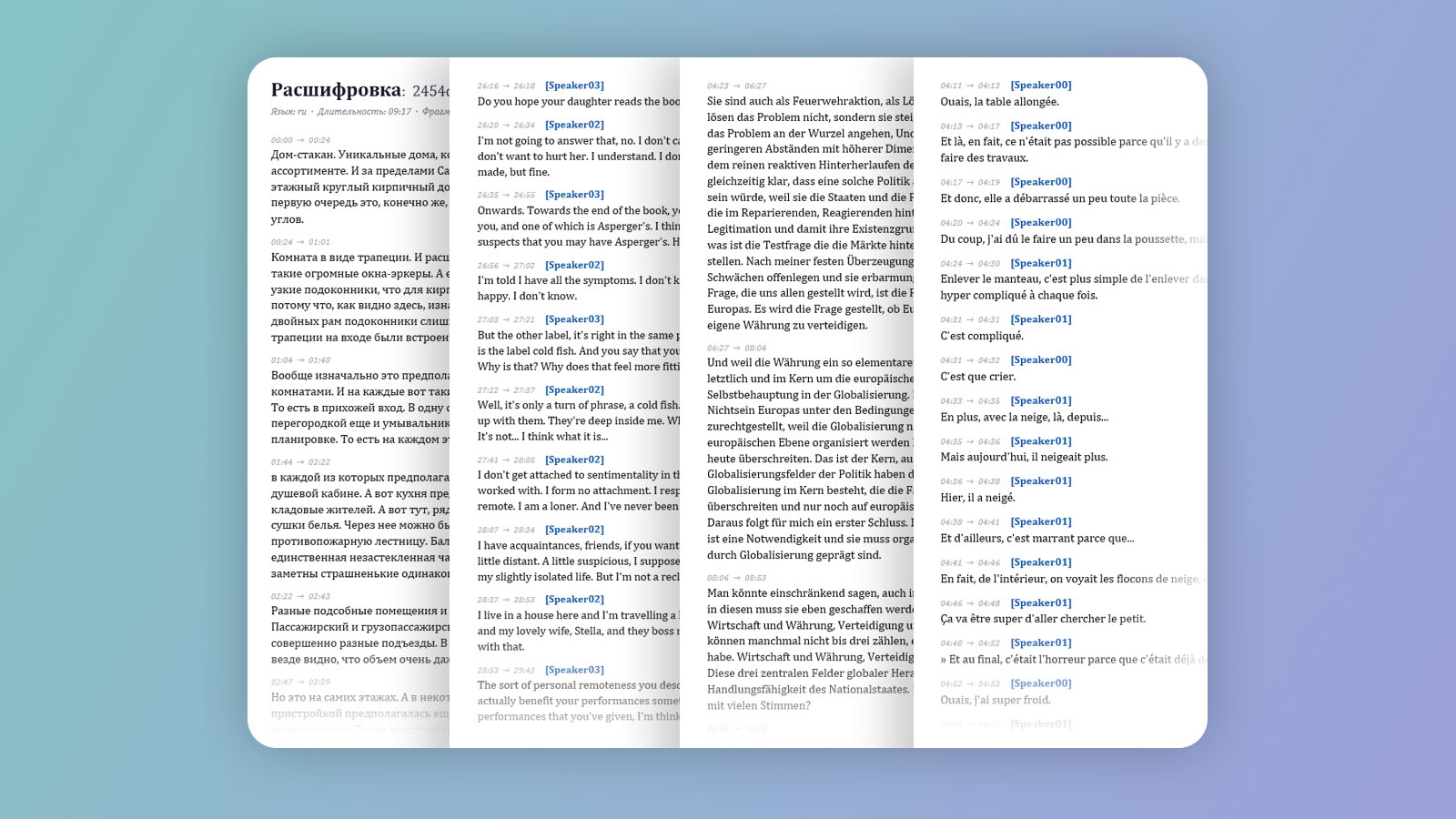
A plain transcription gives you one solid block of text with no way to tell who said what. And in an interview, podcast or focus group that's exactly the real work: figuring out which line is the host's and which is the guest's, finding the right quote and citing the precise moment in the recording.
Done by hand, that means a whole evening of scrubbing the recording, dropping in markers and labeling who's speaking. Flowmark takes that part off your hands: the lines are already split between speakers, and the timestamps lead straight to the right spot in the recording.
A recorded interview becomes text split by speaker — quotes at hand, no scrubbing through the recording.
A transcript of the episode for show notes, posts and clips — with timestamps on the guests' lines.
In-depth interviews and focus groups: participants' lines are split out, easy to code and quote.
Recognition runs in the background — all you do is send the file and choose the settings.
Forward the interview's audio or video to the bot in the chat — a voice note, a dictaphone recording, a call recording.
Tap 'Audio to text', turn on speaker separation (diarization) and timestamps, and choose paragraph output.
Recognition runs in the background with live progress — you can close the chat and come back later.
Replace 'Speaker 1/2' with real names and fix any tricky spots — the foundation is already in place.
The interview recording is only used while it's being processed and is deleted after the result is sent. In the main scenario recognition runs on the service side.
The bot recognizes long recordings in parts, and additionally checks the finished text for the typical repeats that models sometimes add over pauses — so less clutter makes it into the transcript.
In the same bot — general transcription of any recording, profanity censoring, video compression and branding:
With speaker separation on, the lines are split between speakers. The bot doesn't know names — speakers are labeled 'Speaker 1', 'Speaker 2', easy to replace with real names while proofing.
Yes. Turn on timestamps — each fragment is tagged with its time, and the right spot is found in seconds.
Yes, within your plan's limits. The bot recognizes long recordings in parts, and additionally checks the text for typical repeats.
The recording is only used while it's being processed and is deleted after the result is sent. In the main scenario recognition runs on the service side.
Your choice: plain text (TXT), a formatted DOCX or SRT subtitles. The layout can be re-formatted — paragraphs, timestamps — without re-recognizing.
